How to Transfer Photos from iPhone to Computer (Mac)
How to Transfer Photos from iPhone to Computer (Mac)
- Connect your iPhone to your computer with the USB cable.
-
The Photos app on your Mac will automatically open. If it doesn’t, open your Applications folder and select the Photos app.
-
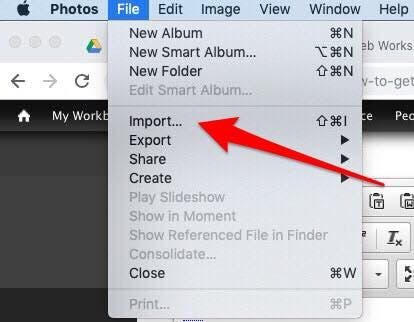
Select File from the top menu, then select Import.
-
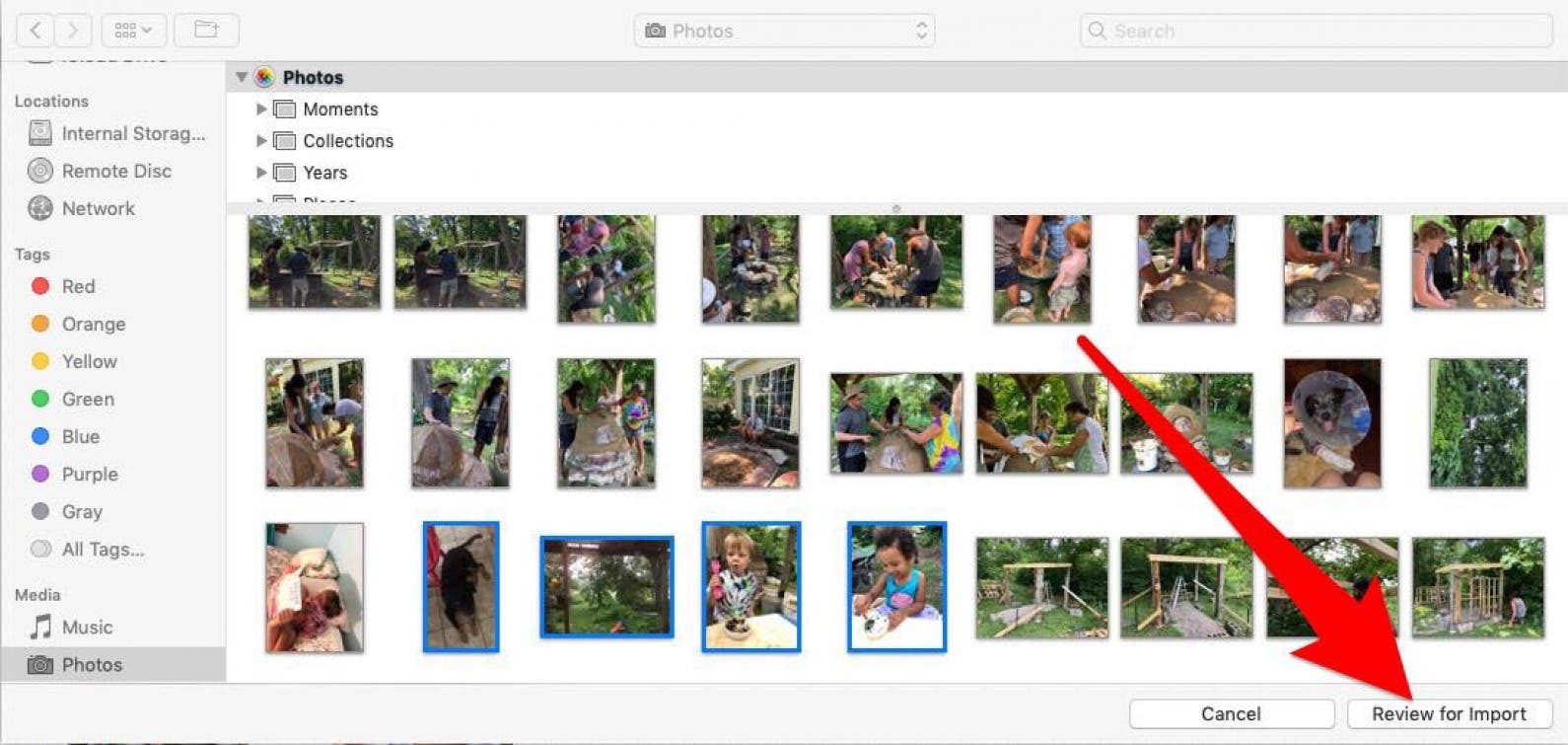
You can download select photos by holding down the command key on your keyboard while clicking all the photos you want to transfer, then click Review for Import.
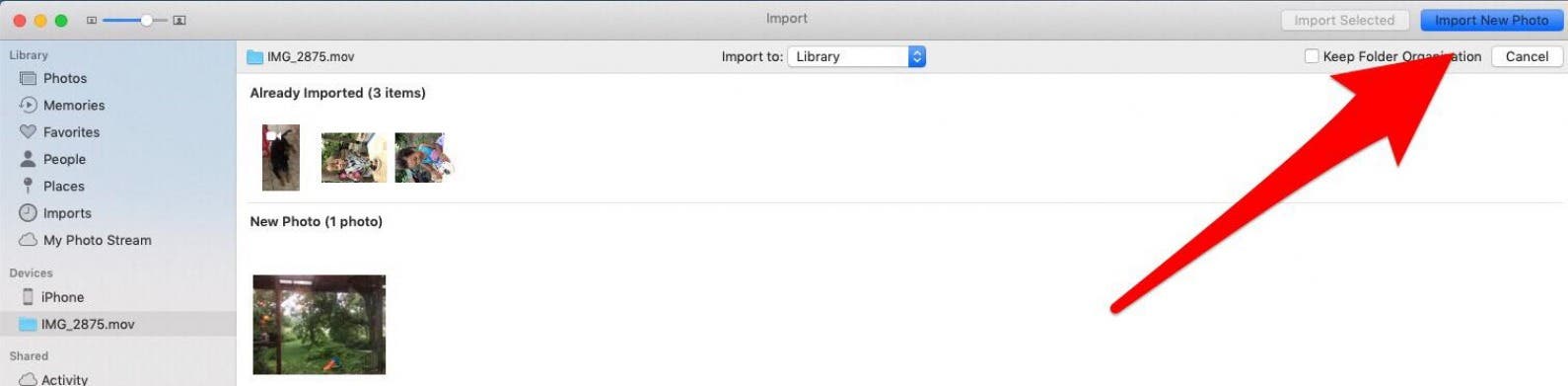
- If you’ve already imported some or all of your selected photos, your Mac will let you know, then give you the option to import the remaining photo(s) by clicking Import New Photo.
-
If you’d rather import all the photos on your iPhone that you haven’t previously backed up, click Import All New Items.

To view the recently imported photos, select Last Import on the sidebar. And you’re done.